Menu Level 1 Level 2 Level 3 Help More Angles
Instructions
This is a simplified version of the programming language Logo. Use it to draw shapes by moving the turtle around the screen with the following commands.
fd (forward)
fd 10 moves the turtle forward ten steps.
bk (backward)
bk 5 moves the turtle back five steps.
rt (right turn)
rt 90 turns the turtle 90° to the right.
lt (left turn)
lt 45 turns the turtle 45° to the left.
ct (centre turtle)
Sends the turtle back to the middle of the screen.
cs (clear screen)
pu (pen up)
The turtle can then move without drawing a line.
pd (pen down)
repeat
repeat 4[fd 10 rt 90] draws a square.
pc (pen colour)
pc 2 draws in red.
0 = black, 1 = blue, 2 = red, 3 = green and so on.
Challenge 1
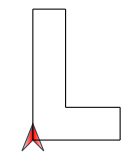
Use the Logo commands to draw a letter L like this one.
Challenge 2
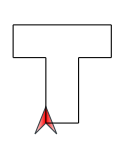
Now draw a letter T like this one.
Challenge 3
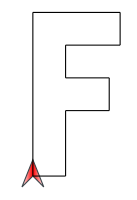
This time draw a letter F like this one.
Challenge 4
Follow the path to the Finish without going off the path. How quickly can you do it?
00:00
Challenge 5
What is the smallest number of shots you can use to get round this golf course? Visit the holes in order, 1 to 5.
Each fd or bk counts as one shot.
Challenge 6
Use the repeat command to draw a square.
Challenge 7
Use the repeat command to draw a pentagon.
Challenge 8
Use the repeat command to draw a hexagon.
Challenge 9
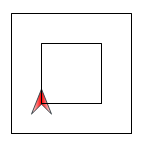
Use the pu and pd commands to draw one square inside another.
Challenge 10
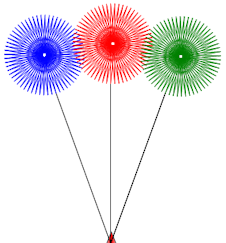
Draw a colourful bunch of flowers.
Your trophy
 Logo is a
simple programming language devised by Seymour Papert for educational purposes.
Students can control the movement of a turtle which draws lines on the screen.
Students learn about lengths and angles while creating diagrams and patterns.
The learning takes place as students experiment, get feedback and revise their
actions in a non-judgmental environment. Students develop a much better
understanding of angles being an amount of turning than they do from more
traditional, static exercises.
Logo is a
simple programming language devised by Seymour Papert for educational purposes.
Students can control the movement of a turtle which draws lines on the screen.
Students learn about lengths and angles while creating diagrams and patterns.
The learning takes place as students experiment, get feedback and revise their
actions in a non-judgmental environment. Students develop a much better
understanding of angles being an amount of turning than they do from more
traditional, static exercises.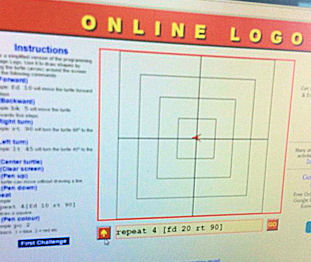


Damian Johnson, Emmaus Catholic Primary School, Australia
Awesome Fireworks: